Introduction: The Gap Between Process and Systems
In S/4HANA transformations and global template rollouts, business teams usually draw process flows while IT teams maintain system landscapes and interface lists, often separately. As a result, questions like “Which system executes this step?” and “Where does the data hand-off happen?” often come up late in the project, when changes are most expensive.
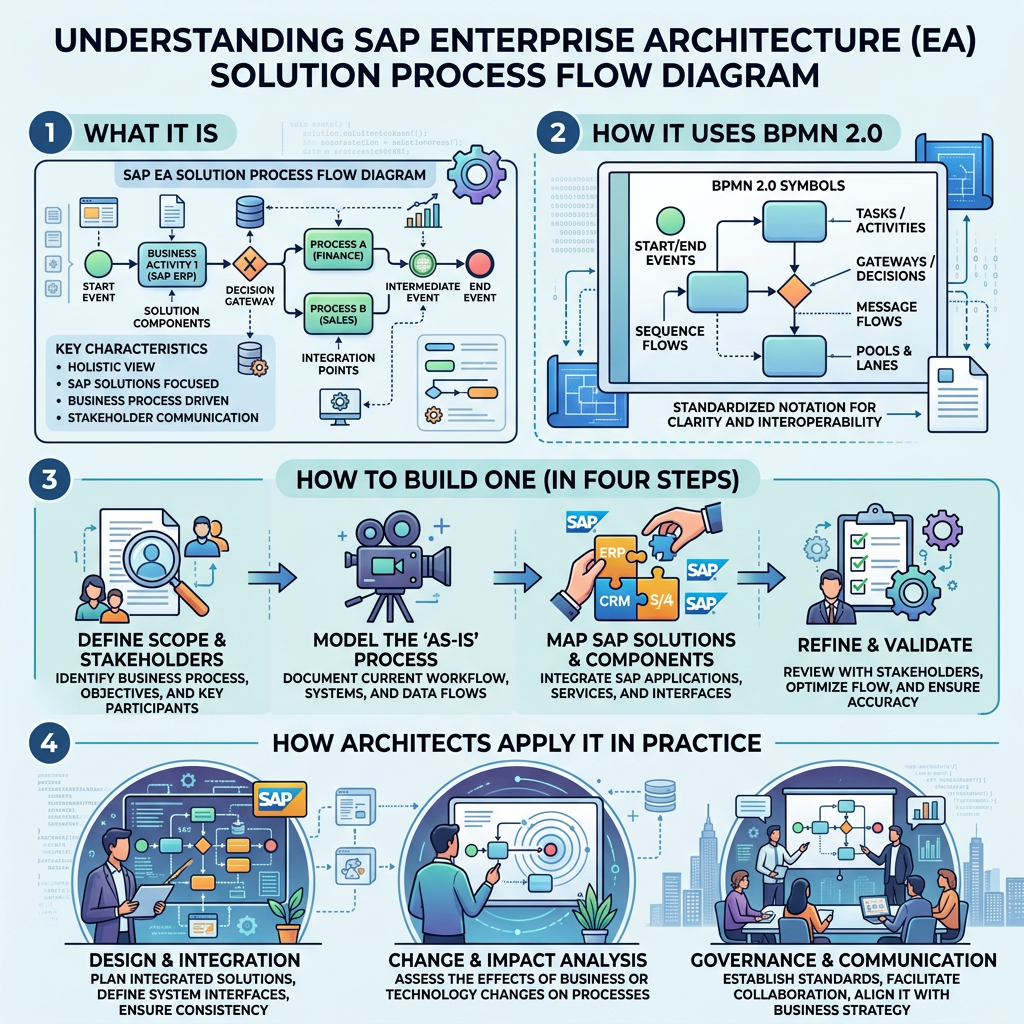
The Solution Process Flow Diagram (SPFD), defined in the SAP EA Methodology of the SAP Enterprise Architecture Framework, is designed to close this gap. This article draws on official SAP sources to explain its purpose, elements, building steps, and examples from an enterprise architect’s perspective.
Definition and Positioning
A Behavioral Diagram for a Concrete Solution Process
SAP defines the diagram as follows:
“The Solution Process Flow Diagram is a behavioral diagram that is used to describe a concrete process flow of a Solution Process.”
A Solution Process is “the realization of the Business Process in an IT environment.” According to the SAP EA Methodology Guide, it “combines a defined set of solution components to meet the business process needs.”
Its Role in the Process View
The SAP EA Methodology organizes its artifacts into four views: capability, process, data, and organization. The SPFD belongs to the Process View and is one of four architecture views that describe a Solution Process:
- Solution Component Diagram (structure: which components exist)
- Solution Value Flow Diagram (abstraction: which business activities gain value)
- Solution Process Flow Diagram (behavior: in what order the components work and how they collaborate)
- Solution Data Flow Diagram (data: how data moves)
The key relationship is with the Solution Value Flow Diagram, which is an abstract representation of a Solution Process. The SPFD adds detail to it, including alternative flows, paths, loops, and decision points. In short, the Value Flow shows what is realized, and the SPFD shows how it is realized.
Purpose: Shared Understanding and Integration Design
SAP Learning states the goal clearly:
“The goal is to provide a common understanding on which solution activities are provided by the solution components to realize a particular solution process and the ordering of solution activities.”
Purpose 1: A Common Language for Business and IT
A single diagram shows which solution component performs which solution activity, and in what order. This lets business owners and IT architects work from the same assumptions.
Purpose 2: Making Integration Explicit
SAP Learning also notes that SPFDs “specify how different solution components collaborate … by depicting the integration between them.” An SPFD is more than a process flow. It is also a tool for designing integration architecture.
Elements: BPMN 2.0 Plus SAP EA Extensions
“Depending on the level of shown detail, Solution Process Diagrams are basically BPMN 2.0 collaboration or process diagrams with various SAP Enterprise Architecture Methodology-extensions to describe, for example, integration architecture aspects.”
| BPMN Element | Meaning in an SPFD |
| Pool | Deployment Unit (Solution Component), e.g., SAP S/4HANA Cloud |
| Lane | Sub-Solution Component or Application Role |
| Activity | Solution Activity (all or part of one or more Business Activities) |
| Message Flow | Collaboration and integration between Deployment Units |
A Message Flow can also specify the communication protocol or the API used. Several Message Flows are bundled into a Communication Channel in the Solution Component Diagram. Through these integration points, the process view and the structural view stay linked.
How to Build an SPFD in Four Steps
These steps follow SAP Learning.
Step 1: Identify Solution Activities
Draw all relevant Solution Activities and the ordering constraints between them. Each Solution Activity represents all or part of one or more Business Activities.
Step 2: Define the Flow
Define the sequence of Solution Activities, including parallel and optional paths.
Step 3: Assign Activities to Components
Assign each Solution Activity to the Solution Component (pool) that realizes it. One key rule applies: “A solution activity can be assigned to exactly one solution component.”
Step 4: Define Integration
Define how the components integrate, and use Message Flows to show each integration point.
Examples
Official Example 1: Travel to Reimburse
The SAP EA Methodology Guide includes a Travel to Reimburse example with these pools:
- Concur Travel and Expense (Concur Request, Travel, and Expense)
- SAP S/4HANA Cloud (e.g., Manage Payables for Expense)
- SAP SuccessFactors Employee Central Payroll (Process Payroll)
- External (Credit Card, Mobile, Hotel)
The flow covers travel request approval, booking, expense reporting, financial posting, payment, and payroll. Message Flows such as “FIS Queue” and “Payment Notification for Expense Report” connect the systems, so process logic and integration points appear in the same view.
Official Example 2: Time Data Management
The SAP Learning course shows an SPFD for Time Data Management.
Official Example 3: Transformation Planning in SAP Signavio
In SAP Signavio Process Insights, customer process flows can link directly to SPFDs in SAP Signavio Process Explorer. These diagrams are available for SAP S/4HANA Cloud, public edition and private edition. They give teams a starting point for comparing current processes with SAP best practices. Note that SPFDs are not available for every process flow.
Practical Tips for Architects (Author’s Perspective)
The following suggestions build on the official sources but are the author’s own recommendations, not SAP-prescribed usage.
Use Standard SPFDs as Fit-to-Standard Input
Starting from the standard SPFDs in Signavio Process Explorer makes it easier to discuss gaps by system and integration point, not just by process step.
Visualize Manufacturing Integration (Illustrative Scenario)
For example, an automotive Tier 1 supplier could model its order-to-ship process with separate pools for the OEM (External), S/4HANA, MES, and the warehouse system. EDI orders and production confirmations would appear as Message Flows. This shows where in the process each integration happens, which an interface list alone cannot.
Manage Value Flows and SPFDs as Layers
Show executives the Value Flow and give design teams the SPFD. Describing the same Solution Process at two levels of detail keeps traceability intact while matching each audience’s needs.
Conclusion
In the SAP EA Framework, the Solution Process Flow Diagram is the behavioral view that brings business process, solution components, and integration together in one diagram. It builds on BPMN 2.0, using pools for systems and Message Flows for integration, to create a shared understanding between business and IT. A good first step is to review the standard SPFDs in SAP Signavio Process Explorer and map them to your own Solution Value Flows.
References
- SAP Help Portal, “Solution Process Flow Diagram”: https://help.sap.com/docs/SAP_ENTERPRISE_ARCHITECTURE_FRAMEWORK/60bc20e6e0a24426a817705bcb415220/042a42278cda486f8bc444e3ed20b425.html
- SAP Help Portal, “Solution Process”: https://help.sap.com/docs/SAP_ENTERPRISE_ARCHITECTURE_FRAMEWORK/60bc20e6e0a24426a817705bcb415220/5a632179d01e4300b1203537aaeadf77.html
- SAP Help Portal, “Solution Value Flow Diagram”: https://help.sap.com/docs/SAP_ENTERPRISE_ARCHITECTURE_FRAMEWORK/60bc20e6e0a24426a817705bcb415220/1c3eefdc009e4b52b050e5bb6811251f.html
- SAP Enterprise Architecture Methodology Guide (PDF): https://help.sap.com/doc/856bdc8acbaf46af9586bbd78440f591/1.0/en-US/SAP_Enterprise_Architecture_Methodology_Guide_1.pdf
- SAP Learning, “Designing Application Architecture”: https://learning.sap.com/courses/intelligent-enterprise-architecture-fundamentals/designing-application-architecture
- SAP Help Portal, “SAP Signavio Process Insights – Process Flows Overview”: https://help.sap.com/docs/signavio-process-insights/user-guide/working-with-transformation-planning
Disclaimer
Parts of this article were developed with reference to generative AI suggestions and were reviewed, refined, and supplemented based on the author’s professional expertise and judgment.

Leave a Reply